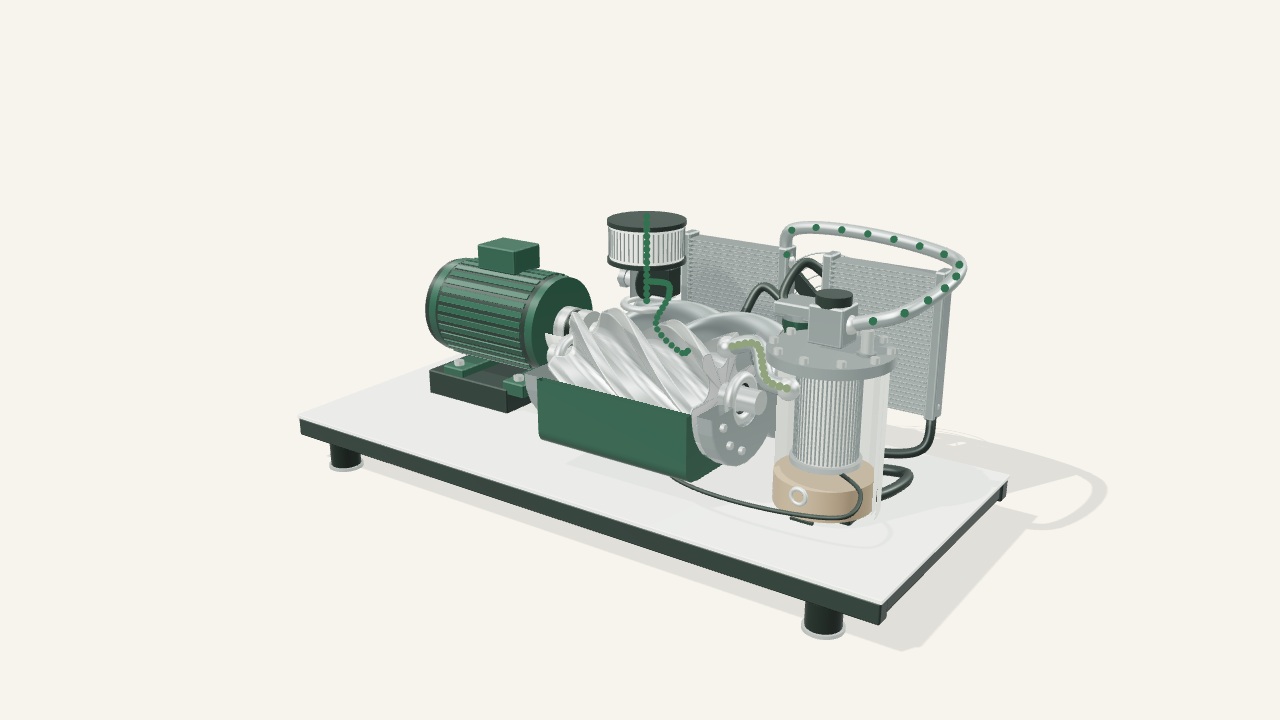
A large machine can be difficult to bring to a booth. A screen cannot answer every hands-on question. Plan the right mix of physical samples, product animation and interactive 3D around what your buyer needs to understand.
Free tool · No email required
What belongs in your booth?
Three decisions and one product detail create a starting plan. Change the example to match your event.
Your starting approach
Pair a physical sample with a digital explanation
Keep the real product or an approved representative sample for fit, finish, handling or other physical checks. A visual demo does not verify those properties.
Use an approved cutaway, exploded view or guided sequence to explain hidden parts. Label visual simplifications and avoid implying validated performance.
Compare the full machine, a smaller representative sample and a hybrid display. Get actual freight, handling and setup quotes before claiming savings.
Connectivity decision
Treat connectivity as unresolved. Do not depend on venue Wi-Fi until it is confirmed; scope a tested local fallback or an offline deliverable separately.
Logistics to keep
Keep physical logistics in the plan: packed size and weight, inbound transport, material handling, setup, empty-container storage and outbound arrangements. Check the current exhibitor manual and contractor quotes.
Before the show
Rehearse the whole conversation.
Mark items as your team verifies them. This is your checklist, not an inspection or certification by Pine Atlas.
0 of 6 checks marked complete
Keep the plan.
Copy or download your decisions, rehearsal checklist and fields for your team to complete.
No answers or checklist entries are submitted or saved by this tool. Refreshing clears them. The site’s existing aggregate traffic counter may count the page visit, not these choices. This is a planning aid, not a quote or delivery promise. Privacy policy.
Choose the evidence the buyer needs
Physical, digital, or both?
01 / Physical
Let people handle it.
Keep a real product or approved sample when visitors need to assess feel, finish, access or fit. Plan any live operation with the appropriate technical and event safety review.
Best starting question: What would a buyer need to touch or verify?
02 / Digital
Reveal the hidden story.
Use animation for a repeatable explanation, or interactive views when the visitor needs to choose what to inspect. Show internal paths, assembly order or product variants with approved references.
Best starting question: What is hard to understand from the outside?
03 / Hybrid
Give each a clear job.
Pair a representative sample with a guided digital explanation. The sample handles the physical question; the screen can show details, context or configurations the booth does not contain.
Best starting question: What does each display add to the conversation?
A visual demo is explanatory. It does not establish performance, tolerances, compliance or engineering safety. Use approved test data and a qualified product reviewer for those claims.
Before removing anything from the crate
Compare the whole booth plan.
Collect separate quotes for the physical and digital options. A smaller display may change the logistics, but there is no universal savings percentage. Digital production, screens, mounting, power, setup and support still need a budget.
Physical display checklist
Record packed dimensions, weight, crate count and the equipment needed to unload or position the display.
Separate transportation to the event from on-site material handling. The latter can include unloading, booth delivery, empty-container storage and load-out.
Confirm the advance-warehouse receiving dates or direct-to-show move-in window in the current exhibitor manual.
Check installation labor, electrical or other utilities, venue rules and access requirements for the actual equipment.
Arrange outbound pickup, labels and the required release paperwork. Confirm where and when that paperwork must be submitted.
Define one product question, the approved source assets and the reviewer for technical accuracy.
Specify screen size and resolution, touchscreen or mouse input, viewing distance and the actual device.
Choose a short guided path, a clear reset and optional deeper exploration instead of a crowded menu.
Confirm internet dependence and offline requirements in writing. Test a fresh launch, not only an already-loaded browser tab.
Prepare a local video or image fallback, tested power and cables, and a way to share a relevant product page after the show.
These are Pine Atlas planning recommendations. Hosting, offline packaging, equipment, installation and on-site support require separate scoping.
Original Pine Atlas demonstrations
See the kind of story a screen can tell.
These are original demonstration concepts, not commissioned client projects or evidence of trade-show results. They illustrate visual approaches that would need to be adapted to approved customer product references.
Can an interactive product demo replace the machine?
Sometimes it can cover a visual explanation, but it cannot replace every physical check. Start with the buyer’s question. Keep the product or a suitable sample when hands-on inspection matters, and use digital content to explain what the sample cannot show.
Will a browser-based demo work without internet?
Do not assume it will. Offline operation needs an explicit delivery plan and testing on the target device with networking disabled. A loaded tab or a public web link is not proof of reliable offline startup.
How much will a digital trade-show demo save?
There is no defensible universal figure. Compare actual physical-display quotes with the proposed digital production, hardware, setup and support costs. Only count physical costs you can really remove. This guide does not calculate or promise savings.
What should I send to scope a project?
Start with a non-confidential product description or public link, the buyer question, event date, available file types and intended display. Do not submit confidential CAD through the quote form. Agree on an appropriate asset-sharing process first.
Make the next conversation specific
Bring a product question. Leave with a clearer scope.
Use the 3D demo scope planner for CAD, hotspots and guided views. For a project review, describe the product, event and display requirements in the quote form. Dates, feasibility and pricing are confirmed separately.